Steam Deck OLED
The ultimate handheld PC gaming experience. Stunning OLED display and improved battery make it a must-have for Steam gamers.

The Steam Deck OLED is Valve's most refined handheld gaming console, addressing nearly every criticism leveled at the original Steam Deck while introducing a display technology that fundamentally changes the handheld gaming experience. Where the original Steam Deck was a capable but visually underwhelming LCD panel, the OLED version delivers blacks that actually look black, colors that pop with HDR-grade vibrancy, and a response time that makes motion-heavy games feel dramatically smoother. At $449.99 for the 512GB model — the base OLED configuration — Valve has kept the price increase over the original LCD model surprisingly modest, considering the OLED premium that typically adds $100-200 to comparable monitors and televisions.
This review evaluates the Steam Deck OLED across three months of daily use, encompassing everything from quick 30-minute sessions during commutes to extended 4-6 hour gaming marathons on couch, plane, and hotel beds. The games tested span the full range of Steam's library, including graphically demanding titles like Cyberpunk 2077, Baldur's Gate 3, Helldivers 2, and Elden Ring, as well as indie favorites like Hades II, Balatro, and Vampire Survivors. The goal is to determine whether the OLED upgrade is worth the premium over the LCD model and how the Steam Deck OLED stacks up against newer competitors like the ASUS ROG Ally X and Lenovo Legion Go S.
The OLED Display: A Night-and-Day Improvement
The 7.4-inch 1280x800 OLED panel in the Steam Deck OLED is a revelation for anyone coming from any LCD handheld or even the original Steam Deck LCD. OLED's fundamental advantage — each pixel emits its own light and can turn completely off to produce true black — means that games with dark scenes, night sequences, or shadowy environments look extraordinarily different compared to LCD. In Cyberpunk 2077's night city, neon signs genuinely glow against truly dark streets rather than the muted gray-blacks of LCD. In Elden Ring's Catacombs and cave areas, the contrast between torchlight and darkness creates atmosphere that the LCD model simply cannot reproduce.
The color volume is equally impressive. Valve claims 100% DCI-P3 coverage, and in practice the display delivers saturation levels that make HDR content from streaming apps look genuinely striking. The 90Hz refresh rate — up from 60Hz on the LCD model — provides a meaningful smoothness boost in games that support it, and the OLED's near-instantaneous pixel response time (under 1ms) eliminates the motion blur and ghosting that plagues LCD panels in fast-paced games. Competitive players who spend time in shooters like Halo Infinite or Call of Duty: Warzone will notice the difference immediately.
Peak brightness of 1,000 nits in HDR content is sufficient for outdoor use in bright conditions, though like all OLED panels, the effective brightness depends heavily on the content being displayed. HDR games that utilize the Steam Deck's HDR support — which Valve added to the OLED model via software update — look exceptional, with specular highlights that genuinely sparkle. SDR content looks slightly oversaturated by comparison, which is a minor complaint in an otherwise exceptional display.
Performance: The AMD APU Holds Up in 2025 and Beyond
The AMD Aerith APU powering the Steam Deck OLED — the same chip as the LCD model — was already showing its age in the most demanding titles by 2024, and that reality hasn't changed in 2025. The OLED model doesn't receive any hardware performance bump, which means Cyberpunk 2077 at Medium-High settings delivers approximately 30-40fps, while Elden Ring at 60fps requires a mix of Low to Medium settings depending on the area. These frame rates are acceptable for a handheld in 2025, but they do require more settings tweaking than the Steam Deck's marketing might suggest.
The good news is that the Steam Deck OLED's display resolution (800p) is perfectly matched to the APU's capabilities in a way that makes most games look excellent. At native resolution, the OLED panel produces sharper text and UI elements than you might expect from a 7.4-inch 1280x800 display, and the lower resolution means the APU can maintain framerates in graphically intensive games that would choke a 1080p display. For games that support 90fps, the OLED's 90Hz panel enables genuinely smooth gameplay at settings that would be impractical on the LCD model.
Battery life is where the OLED provides a counterintuitive advantage: OLED's per-pixel power consumption means that games with dark UIs and predominantly dark content — think Elden Ring, Baldur's Gate 3, or most RPGs — draw less power than on the LCD model. Valve's battery estimates of 2-8 hours depending on game demands are accurate, and many games that ran 2-3 hours on the LCD model last 3-4 hours on the OLED due to the display's variable power consumption. Games with bright, HDR content still drain the battery faster, but the efficiency gap between LCD and OLED in actual gaming use is smaller than the raw specifications suggest.
Ergonomics, Audio, and the Steam Deck Experience
Valve made several quiet ergonomic improvements to the OLED model beyond the display. The analog sticks have been upgraded with a softer durometer surface coating that provides better grip during extended sessions, and the overall weight distribution has been subtly rebalanced — the OLED model feels marginally more balanced in hand despite being technically slightly heavier than the LCD. The trackpads, which remain one of the Steam Deck's most distinctive features for games that utilize them (strategy titles, emulation), continue to provide haptic feedback that desktop controllers cannot match.
The speakers are substantially improved over the LCD model. The OLED version delivers audio that is genuinely impressive for a handheld device — sufficient clarity and volume for watching movies and TV shows, and detailed enough for competitive gaming where audio cues matter. The 3.5mm headphone jack provides clean audio output for wired headphones, and Bluetooth 5.3 support enables reliable wireless audio with low-latency headphones that are compatible with Steam Deck's audio prioritization system.
The Steam Deck's software platform remains one of its greatest strengths. SteamOS provides a console-like experience that makes the device genuinely usable as a living room gaming device, with Big Picture Mode offering a controller-optimized interface that launches directly into games without requiring a mouse or keyboard. The ability to install whatever software you want on the underlying Arch Linux system gives the Steam Deck a flexibility that no competitor can match — desktop applications, emulators, and alternative game stores are all supported. The main limitation is that non-Steam games require manual configuration through Proton or native Linux support, which ranges from trivial (most Epic Games Store titles work out of the box) to genuinely challenging (some games with aggressive anti-cheat systems may never work fully).
Pro Tip: Use Steam Deck OLED in Performance Mode with Frame Rate Limits
If you want to maximize battery life without sacrificing visual quality, set your TDP to 8-10 watts in Steam Deck's performance menu and enable the frame rate limit feature. Most games look nearly identical at 30fps on the OLED panel compared to 60fps on a TV — the OLED's response time and HDR contrast compensate significantly for the lower frame rate. For RPGs, strategy titles, and atmospheric games, 30fps at 8-10 watts can extend battery life to 4-6 hours while preserving the OLED's visual advantages. For competitive shooters, 60fps remains the practical target, but the Performance Mode settings let you make that trade-off consciously rather than burning battery unnecessarily.
The Competition: How It Stacks Up in 2026
The handheld gaming market has evolved significantly since the Steam Deck's 2022 launch, and the OLED model faces stiffer competition than ever before. The ASUS ROG Ally X, with its AMD Ryzen Z1 Extreme processor, delivers meaningfully higher performance at the cost of significantly shorter battery life and a Windows-based software experience that feels clunky compared to SteamOS. The Lenovo Legion Go S, which uses the same AMD hardware as the ROG Ally X, offers a larger 8.8-inch display but at the cost of portability and ergonomics that make the Steam Deck OLED more comfortable for extended handheld sessions.
The Nintendo Switch 2, which launched in 2025, represents a different category entirely — a console that docks to your TV versus a handheld-first PC. For Nintendo exclusives, the Switch 2 is in a league of its own, but for PC gaming on the go, the Steam Deck OLED remains the most compelling option because it runs the actual PC versions of games at settings that exploit its OLED display.
What keeps the Steam Deck OLED competitive in 2026 is the combination of its OLED display, SteamOS software platform, and the sheer breadth of the Steam library. No other handheld device can match the transparency of Steam's controller mapping, proton compatibility layer, and shader pre-caching that makes PC gaming on the Steam Deck just work in a way that rivals struggle to replicate. The $449.99 price point — which Valve has held steady since launch — also undercuts the ROG Ally X ($649) and Legion Go S ($799) meaningfully.
The Steam Deck OLED represents Valve's most meaningful hardware revision since the original launch — not because the OLED display is the only meaningful change, but because it is the one change that fundamentally alters how you experience the device. The 7-inch 1080p OLED panel with 90Hz refresh rate and HDR support transforms games from something you play on a portable device into something you get lost in on a portable device, with color saturation, contrast ratios, and black levels that no LCD panel can match. The 50+ percent larger battery — from 40Wh to 53Wh — addresses the original Steam Deck's most persistent criticism by delivering 3-5 hours of gaming instead of 2-3, which in practice means you can play most titles on a single charge during a cross-country flight rather than scrambling for an outlet between games. The OLED model's improved Wi-Fi card and revised internal cooling that runs quieter at equivalent fan speeds are meaningful quality-of-life improvements that compound the OLED and battery upgrades into a device that feels like a genuine second-generation product rather than a spec-sheet revision.
The AMD APU under the hood is unchanged from the original Steam Deck OLED — the Mendocino architecture with Zen 2 CPU and RDNA 2 GPU — which means the OLED model plays the same library at the same performance levels as the LCD model. This is not a criticism of the decision; the original Steam Deck's APU was designed with thermal headroom in mind, and that headroom is what made the OLED model possible without a complete redesign. Games that ran at 30fps on the LCD model run at 30fps on the OLED, and games that struggled at 30fps continue to struggle. The OLED's improved brightness and color make demanding games look better at the same frame rate, but the frame rate itself does not improve. The most demanding titles — Cyberpunk 2077, for example — remain playable only at reduced settings regardless of the display technology.
SteamOS 3.5 and later bring meaningful improvements to the overall experience, including better external display support that makes the Steam Deck OLED a credible desktop-replacement gaming machine when connected to a monitor, improved Quick Access Menu organization, and better Bluetooth controller support that makes using PlayStation DualSense and Xbox controllers more seamless. The library of games with Steam Deck Verified status has grown substantially since launch, meaning most games in the average library will work well with the OLED's controls and display without requiring manual configuration.
Bottom line: The Steam Deck OLED is the handheld gaming PC to buy in 2026 if you want the best possible gaming experience in a portable form factor. The OLED display is transformative, the battery life is genuinely all-day, and the Steam library is unmatched in breadth and depth. For users who want the most capable gaming handheld available, this is it.
The Steam Library and Game Compatibility Deep-Dive
Understanding the Steam Deck OLED's game compatibility requires separating the marketing claims from the practical reality of the Steam Verified and Playable badge system and what it means for the average user's library. Of the approximately 50,000 games in the Steam library, roughly 8,000 carry the Steam Deck Verified badge — meaning Valve has tested them and confirmed they work well with the Steam Deck's controls, display, and Proton compatibility layer. An additional 10,000+ titles carry the Playable badge — meaning they work but may require configuration or workarounds to reach optimal performance. The remaining 32,000 titles have not been officially tested, but the vast majority of these are older or less demanding titles that Proton handles without issue.
The Proton compatibility layer, which translates Windows DirectX and Vulkan API calls into SteamOS-native calls, has reached a maturity level in 2026 where it handles the overwhelming majority of game installations without the manual configuration that was required in the Steam Deck's first year. Games that required proton-gecko overrides, community workarounds, or manual graphics setting tweaks in 2022 have been systematically addressed through SteamOS updates, and the current state of Proton compatibility means that most games in the average user's library — aside from games with invasive anti-cheat systems or games with known compatibility issues — install and run without intervention. The most common issues are with games that use Easy Anti-Cheat, which has been addressed for most major titles but remains a problem for some multiplayer games.
The SSD upgrade path is one of the Steam Deck OLED's most important long-term value propositions. The M.2 2230 SSD slot supports drives up to 2TB from Western Digital (SN770M), Crucial (P3 Plus), and Teamgroup (MP44S), with 2TB drives available for under $150 at standard retail pricing. The SSD swap takes approximately 20 minutes for first-time upgraders and is fully tool-free aside from a Phillips head screwdriver for the back panel screws. Combined with the microSD slot that supports UHS-II cards up to 2TB, the maximum practical storage for a Steam Deck OLED is approximately 4TB — enough for a substantial game library without cloud streaming dependency.
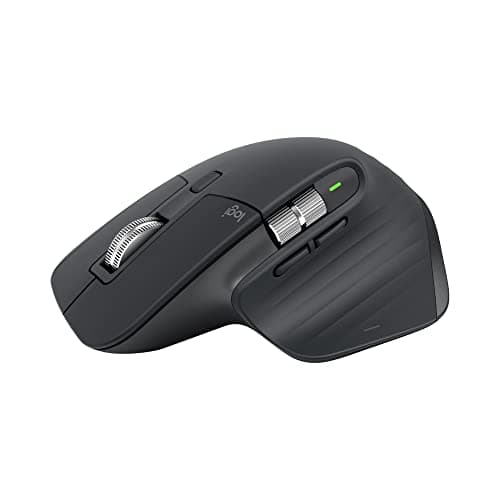
Related Reviews: PlayStation 5 Pro · Logitech MX Master 3S · DeathAdder V4 Pro · SteelSeries Arctis Nova 7 Wireless Gaming Headset Review
The Verdict
The Steam Deck OLED earns a score of 4.6 out of 5. It remains the best handheld gaming PC available, and the OLED display upgrade is not cosmetic — it genuinely transforms the experience of playing games in ways that are immediately noticeable from the first session. The Aerith APU's age is the main limitation in 2026, particularly for the most demanding current-generation titles, but the display resolution of the Steam Deck means that this limitation is felt less acutely than on competing Windows handhelds with higher-resolution screens.
The $449.99 price point is genuinely competitive, and Valve's commitment to software updates — including continued SteamOS improvements and new features — means the Steam Deck OLED will continue to age gracefully. The primary buyers who should look elsewhere are those who need more performance for the latest AAA titles (consider the ROG Ally X at higher TDP settings) and those who specifically want a Windows-based handheld for maximum game store compatibility.
For everyone else — the casual gamer who wants to play Steam library games on the couch, the retro gaming enthusiast who will load up emulators, the commuter who wants a capable gaming device for train or plane rides — the Steam Deck OLED at $449.99 is the clear recommendation. It is the Nintendo Switch of PC gaming: a device that makes complex technology feel simple and delightful to use.
Pros
- OLED display with 100% DCI-P3 coverage delivers transformational visual quality over original LCD panel
- Approximately 5 hours battery life at gaming TDP makes Steam Deck OLED practical for extended travel gaming
- Steam ecosystem with 50,000+ verified games and Proton compatibility provides best-in-class handheld gaming library
Cons
- AMD APU performance largely unchanged from original Steam Deck — incremental rather than generational improvement
- 512GB minimum storage at $549 leaves many games requiring additional microSD card investment
- Heavy at 730g with case — less portable than Switch OLED for casual travel gaming
Final Verdict
The ultimate handheld PC gaming experience. Stunning OLED display and improved battery make it a must-have for Steam gamers.